The AI product team for real work
Your team. Your agents.
One operating system.
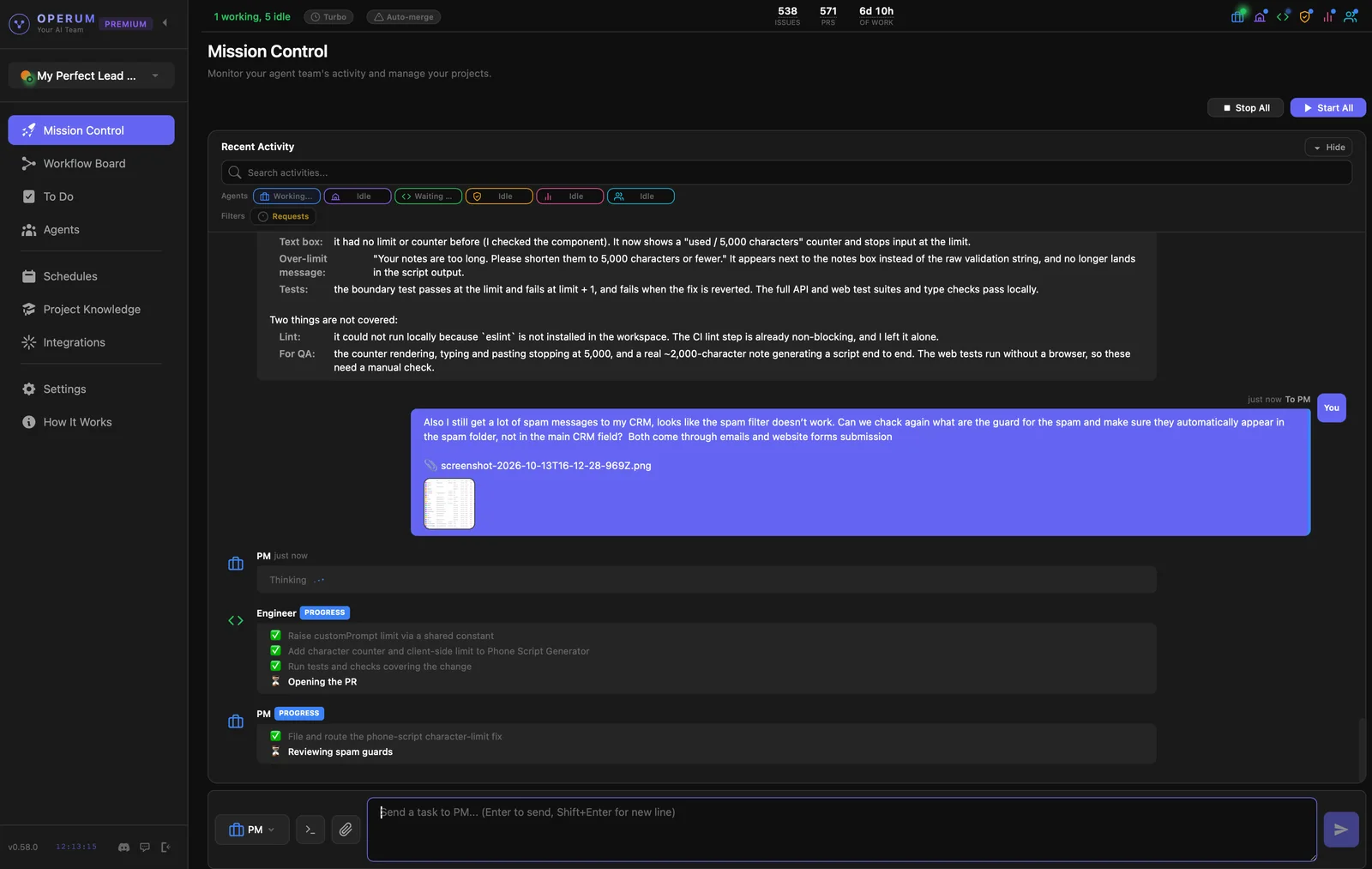
Meet Operum — a desktop app that gives you a full AI product team with expert workflows built in. Your agents plan, build, test, and help launch your product, while you focus on the decisions that matter.
Your team runs on Cursor. See how it connects.
Operum is a desktop app. Visit operum.ai/download on your computer to get started.

Real work, for every role
That app you've been thinking about? Build it.
Turn an idea into a working application without assembling a development team.
What you can build
- Personal finance dashboard
- Fitness and habit tracker
- Family organizer
- Custom travel planner
- Home inventory app
- Games and learning apps to build with your kids
Why Operum helps
- Plain English. No need to code.
- It recommends the structure and the software to use, then builds and tests it, like a real team.
- Every manual step needed from you is posted to your To Do list automatically.
- Review progress and approve decisions.

You bring the vision. Your AI team builds the product.
From the first requirements to a working product, Operum brings structure and technical expertise to your idea.
What you can build
- Website with forms
- CRM for your business
- Client portal
- Online marketplace
- Booking and payment platform
- Industry-specific SaaS
Why Operum helps
- Expert workflows built in: requirements, design review, testing and delivery.
- Mission Control shows what every agent is doing.
- The To Do list surfaces only the decisions that need you.
- You approve before anything ships.
- Marketing and Community agents help you launch and support your customers.
- Connect the tools your business already uses.

Spend more time engineering. Less time managing agents.
Keep using the AI engines you prefer, with coordinated tasks, shared project context, and a workflow built around real code.
What you can build
- Production features
- Internal developer tools
- Open-source libraries
- API integrations
- Large application refactors
Why Operum helps
- A Workflow Board over your GitHub issues and pull requests.
- Real branches and pull requests on your own repository.
- The Tester checks every pull request. On Operum’s own merge path, a pull request does not merge without QA.
- Cursor runs the team. A paid Cursor plan is recommended. Cursor's own usage limits and charges apply. Developers can also use Claude Code or Codex with their own API key, paid per use.
- See inside every agent: live status, CPU, memory and token usage, its git branch, who it reports to, and which integrations it uses, all in one view.

Your developers and AI agents. Working as one team.
Bring people, agents, repositories and tasks into one coordinated workflow.
What you can build
- Customer-facing SaaS
- Internal business platforms
- Enterprise workflows
- Multi-user applications
- Existing product development
Why Operum helps
- Shared projects for the whole team.
- Team members work alongside agents.
- Clear task ownership, from the first plan to the merge.
- Built-in quality gates: reviews, testing and approvals are part of the workflow.
- Enterprise inference through AWS and Azure, available on request, for companies with approved infrastructure and privacy requirements.

Real people. Real products.
Built with Operum
From creative businesses to complex platforms — Operum helps turn ideas into real, working products.
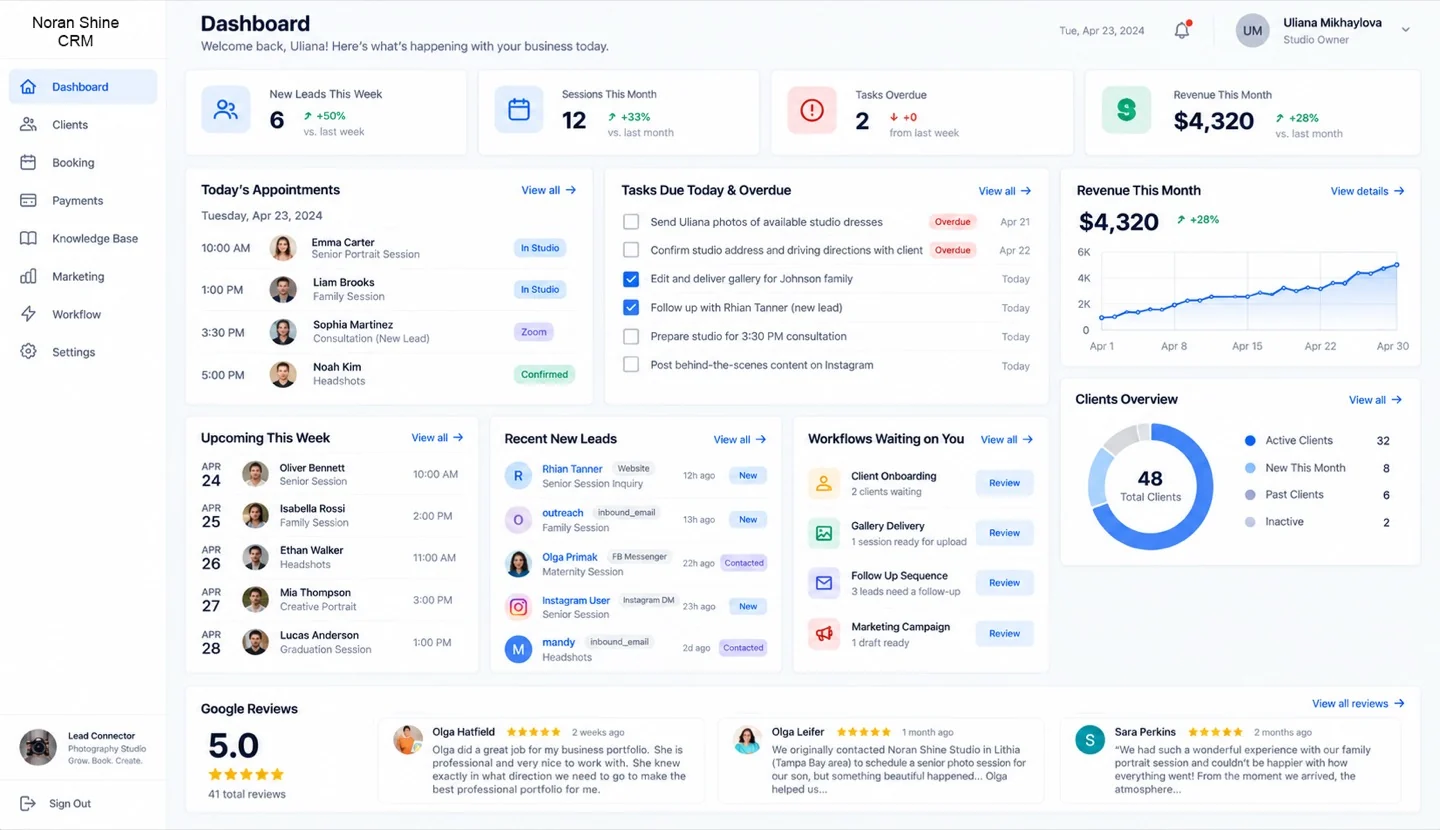
A photography studio owner with no coding background built her entire business online.
She built her own studio website in under a week — then built the CRM that runs her business.

Also built with Operum
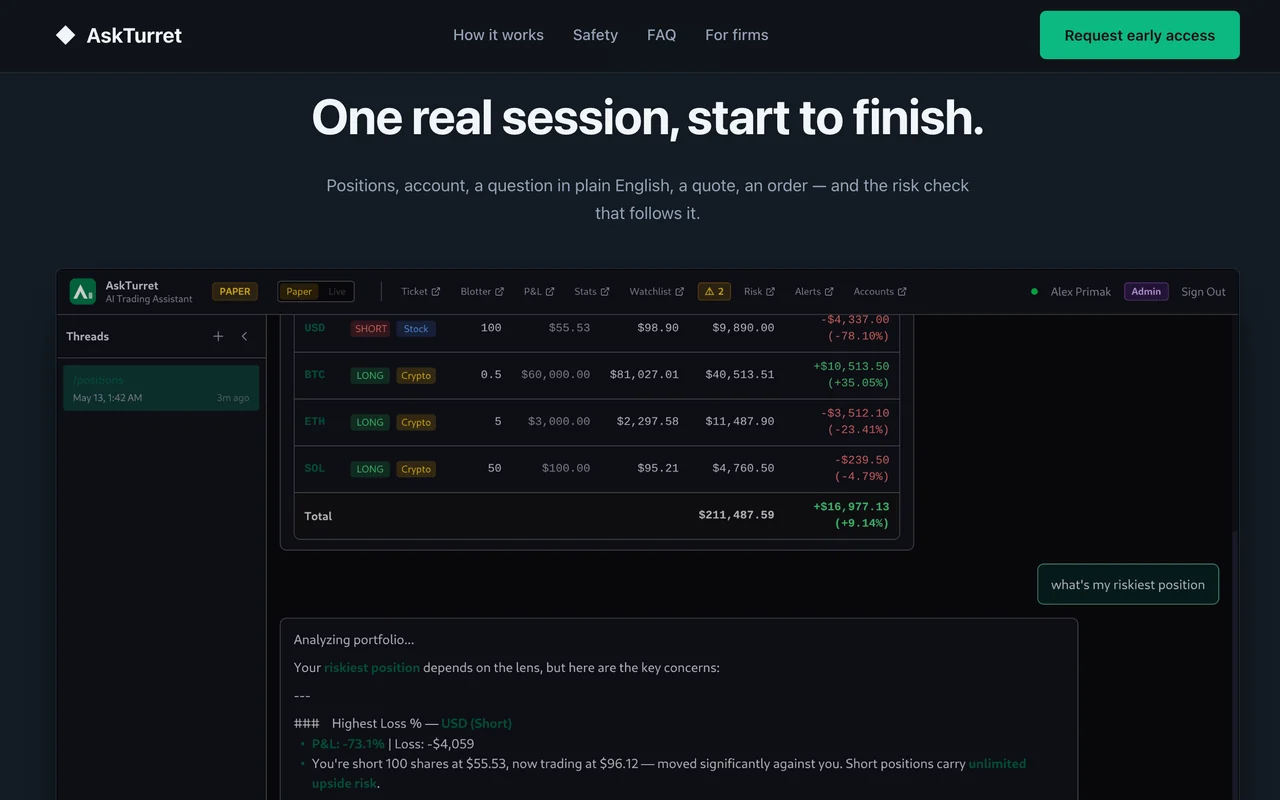


An AI medical-billing platform
Claims, coding and reconciliation, handled end to end.
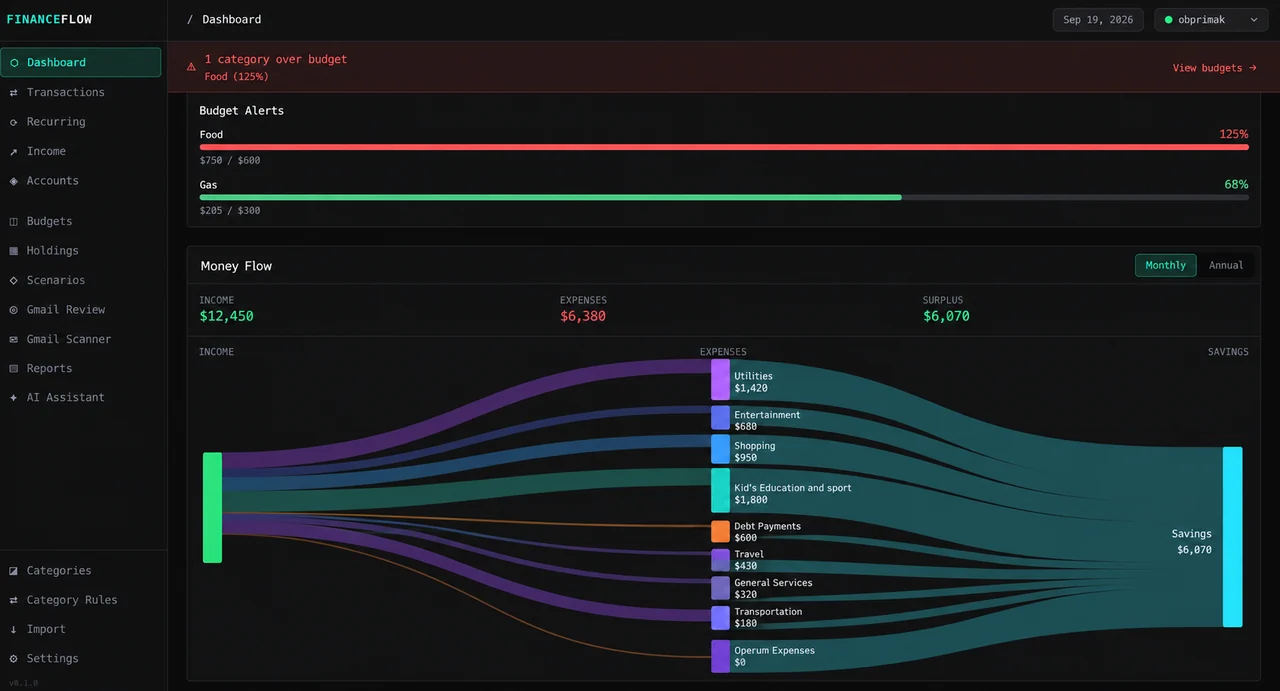
FinanceFlow
A personal finance desktop app.
And Operum itself — the app, this site, the billing.
Same AI team. Infinite possibilities.
Your team runs on Cursor. See how it connects.
Meet Your Operum AI Team
The expertise comes built in.
You set the direction. The team handles execution.
- You
Describe the idea
Say what you want in plain words.
- Project Manager
Plans
Organizes tasks, dependencies and shared context, and recovers when something goes wrong.
- Architect
Designs
Reviews the design before code is written.
- Engineer
Builds
Works in real branches and pull requests.
- Tester
Checks
Tests every change before you see it.
- You
Approve
Nothing ships without your approval.
Ready in 4 Steps
No coding. Set up in 10 minutes or less.
- 1
Install Operum
Download the app and sign in. 14 days of Premium, no credit card. After that you move to Free automatically or pick a plan, and nothing is deleted.
- 2
Connect Cursor
Your Operum team works through Cursor, the AI coding app. A paid Cursor plan is recommended. Cursor's own usage limits and charges apply. Operum does not add an AI bill on top of your Cursor plan.
Developers: you can also run agents on Claude Code with an Anthropic API key, or Codex with an OpenAI API key, paid per use. Learn more →
- 3
Create your team
Name your project, click Connect with GitHub, and connect your repository or create a new one. It’s a quick step inside the Operum app while you set up your team, and it takes about 30 seconds.
- 4
Talk to your PM
Tell the PM what you want — a website, a feature, a marketing campaign. It breaks it down, assigns the right agents, and work begins immediately.
The engines keep getting better.
Your team stays yours.
Keep your workflow, project knowledge and team as you choose the engines that do the work.
Already pay for Cursor? Turn it into a full AI product team.
Your Operum team works through Cursor. A paid Cursor plan is recommended. Cursor's own usage limits and charges apply. Operum does not add an AI bill on top of your Cursor plan. Developers: Claude Code with an Anthropic API key, or Codex with an OpenAI API key, paid per use.
AI usage is separate from your Operum plan. Running the whole team through APIs can become expensive. Review your provider’s pricing and usage controls before starting autonomous work.
More engines coming soon.
| Engine | How you connect |
|---|---|
| Cursor recommended starting point | Your Cursor subscription |
| Claude Code | Your Anthropic API key |
| Codex | Your OpenAI API key |
The workflow outlives the engine.
Switch engines and keep the same team.
Humans and AI, one team.
Shared projects, defined roles, handoffs, and built-in checks.
Built for founders and teams.
You don’t need to design the orchestration yourself.
Questions, answered
What is Operum?
A desktop app that gives you a full AI product team: Project Manager, Architect, Engineer, Tester, Marketing and Community. They plan, build, test and launch your software while you stay in charge.
Which AI engines work with Operum?
Operum runs on Cursor. A paid Cursor plan is recommended. Cursor's own usage limits and charges apply. Operum does not add an AI bill on top of your Cursor plan. Developers: Claude Code works with your Anthropic API key, and Codex works with your OpenAI API key, paid per use. More engines coming soon.
Do I need to know how to code?
No. You describe what you want in plain words. Requirements, design review, testing and delivery are built into the workflow, and you approve the results.
Will anything ship without me?
No. Nothing ships without your approval unless you turn on Auto-merge, and agents always ask before sensitive operations.
Do I need GitHub?
Yes. Your agents work in your own GitHub repository, with real branches and pull requests. A free GitHub account is enough.
Is my code sent to Operum’s servers?
No. Agents run on your machine and talk directly to your AI provider. Operum does not store your code on our servers.
What does it cost?
Operum has a free plan, and paid plans when you need more in parallel. A paid Cursor plan is recommended. Cursor's own usage limits and charges apply. Operum does not add an AI bill on top of your Cursor plan. Developers: Claude Code with an Anthropic API key, or Codex with an OpenAI API key, paid per use. No credit card to start.
Which platforms are supported?
macOS (Apple Silicon and Intel), Windows 10+, and Linux.
What Would You Build If You Had a Full Team Tomorrow?
Download Operum and find out — no technical background required.
Your team runs on Cursor. See how it connects.
Stories for Business Builders
Building software with AI agents: six things that changed
Six shifts in how software gets built when you work with a team of AI agents, from a founder with no technical background.
8 min read →Oct 11, 2026The little project that became our company
How Operum was born
5 min read →Sep 25, 2026Five Things I Learned About Safety, Building With AI Without a CS Degree
Five practical lessons a non-technical founder learned about CI, tests and safety nets while building with AI.
8 min read →