Workflow Board
The Workflow Board is a visual Kanban view for tracking issues and PRs through your development workflow.
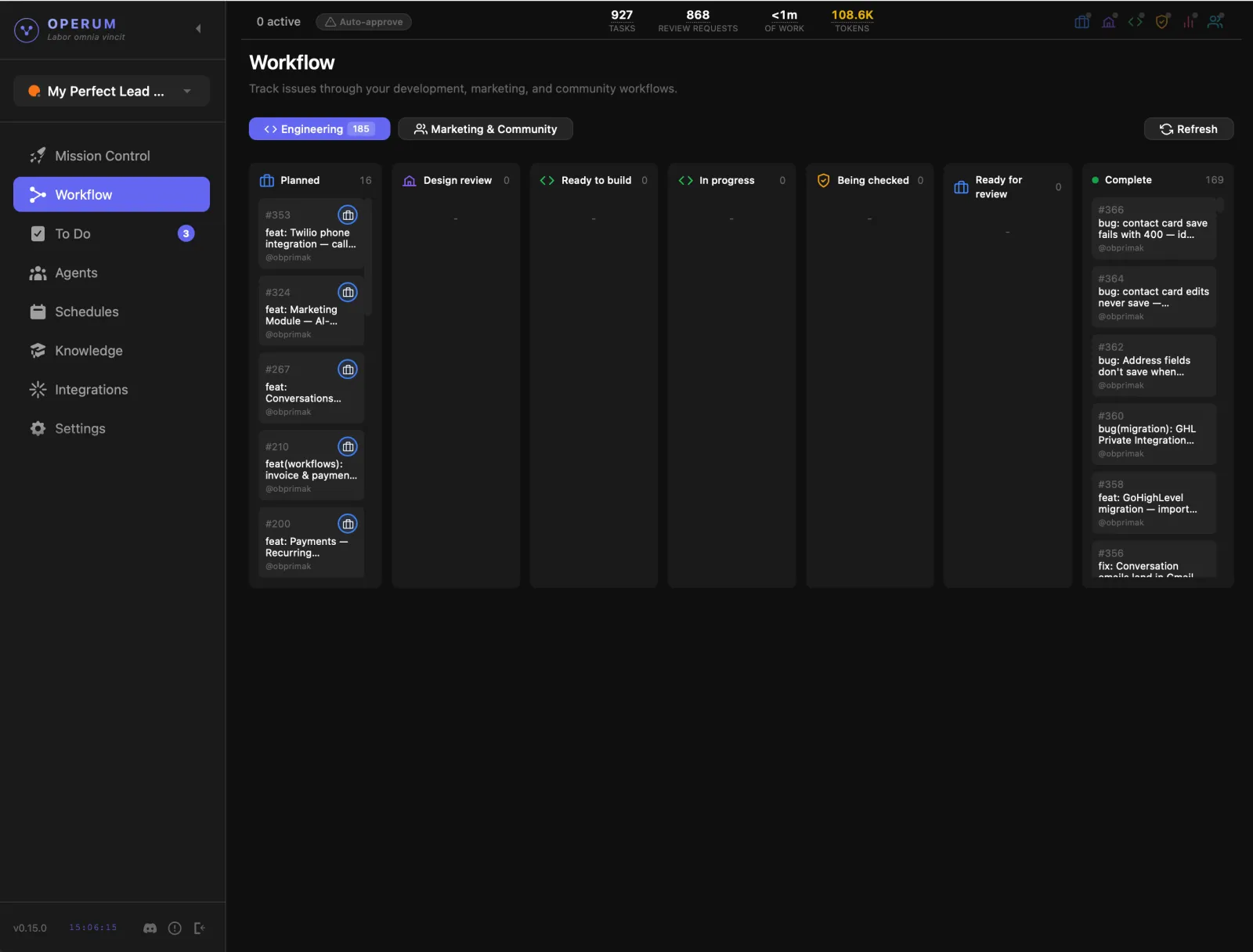
The board
The board has two tabs — Engineering and Marketing & Community — each with its own columns.
Engineering
Every engineering task flows through these seven columns, each handled by the right agent:
New task waiting to be picked up. The PM creates and prioritizes these.
The Architect reviews the task for technical approach, scope, and edge cases.
Architecture approved. The Engineer picks up the task when ready.
The Engineer is actively implementing — writing code, creating branches, making commits.
The Tester validates the changes — functional tests, edge cases, regression checks.
QA passed. This task needs your sign-off — review the PR, give feedback, and approve.
Merged and deployed. The task is finished.
Marketing & Community
The second tab runs its own five columns: Ideas, Research, Creating, Review and Published.
Board controls
Above the columns you'll find the repository this board is tracking, a count of how many items are ready to pick up, when the board last refreshed, a search box, a member filter, a sort control, and a Refresh button.
How It Works
AI agents handle most of the workflow automatically. The PM creates tasks, the Architect reviews them, the Engineer builds them, and the Tester validates them. Each agent picks up work, updates the status, and hands off to the next agent when done.
But they still need you for the final call. When a task reaches "Ready to Merge," it's your turn — review the pull request, give feedback, and merge when you're satisfied. By default, nothing merges without your sign-off.
Want less involvement? Turn on Auto-merge and let the team handle the full cycle — you can always review later.
Some tasks require your manual input — those appear in the To Do section so nothing falls through the cracks. You can also schedule recurring tasks to run on a regular cadence.
In Mission Control, click on any task to see all the details in a pop-up window — the full issue, PR, agent activity, and status history.